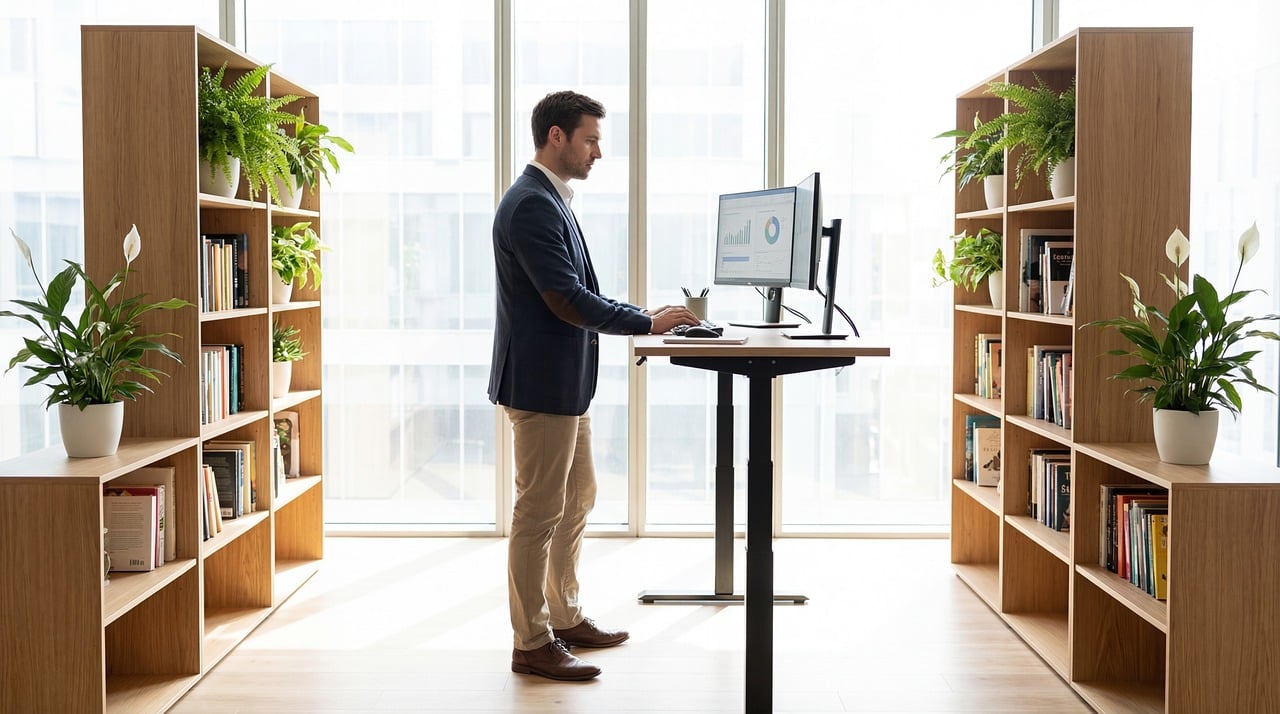

The Role of Desk Height in Standing Desk Posture Adjustment
Standing desks provide a flexible option for maintaining better posture while working. However, it’s critical to set the desk to an optimal height for personal comfort. Without this adjustment, individuals may find themselves leaning or straining, leading to discomfort or long-term issues. The desk height should ideally align with your elbows when they are at your sides. When standing, a simple way to measure this is to ensure that your forearms are parallel to the ground. Additionally, your screen should be at eye level to prevent neck strain. Check the monitor position regularly to avoid poor posture over time. Regular adjustments as needed help to accommodate different tasks, reducing muscle tension. Your feet should remain flat on the ground, promoting stability and preventing fatigue. Lastly, consider using an anti-fatigue mat if standing for long periods to enhance comfort. The perfect desk height is subjective, depending on individual stature and preferences. Effective adjustments allow for more productive work sessions without the physical toll associated with improper desk ergonomics. Finding that ideal height will be essential for long-term health and efficient workspace management.
Setting up a standing desk may seem straightforward, but many overlook the proper height adjustments. Each individual’s anatomy is different, requiring a customized approach. Incorrect desk heights can lead to fatigue, discomfort, and decreased productivity. For optimal ergonomics, the top of your desk should reach just below your elbows. This allows for comfortable arm positioning without excess strain. Screens placed too high can lead to neck discomfort, while screens that are too low can cause slouching. Both positions decrease overall engagement and effectiveness. Start by adjusting your desk height so when standing, your elbows create a right angle. In addition, consider the angle of your wrists; they should remain straight while typing. Using keyboard trays can help achieve this line of alignment effectively. Also, minimize clutter on your desk for better workspace organization and control. Standing posture should be dynamic; shifting weight from leg to leg can reduce strain. Not all work is equal; some tasks require more fine motor engagement, necessitating different adjustments. Regularly reassess your desk setup to adapt to changing needs and ensure continued comfort and productivity throughout your workday.
Understanding the Impact of Desk Height on Posture
The height of your standing desk significantly influences your posture and overall comfort. When a standing desk is set too high or too low, it leads to awkward postures, which can have adverse effects on health. A desk height that aligns correctly with your body should alleviate stress on your back, neck, and shoulders. Ideally, your elbows should create a 90-degree bend when resting on the desk. If the desk is too high or low, you may find yourself extending your arms excessively, creating strain in the muscles. Additionally, maintaining a neutral spine while standing is crucial; avoid arching your back to compensate for inadequate desk height. The use of supportive footwear can aid in stability and contribute to an ergonomic environment. Keep changing your position throughout the day; doing so will promote blood circulation and prevent fatigue. Investing in height-adjustable desks can also provide flexibility for both sitting and standing tasks, enhancing your overall work experience. Remember, consistent adjustments and a personalized approach are essential for maximizing the benefits of a standing desk.
Another important consideration is the use of monitors in conjunction with standing desks. The correct monitor height ensures that your eyes align with the top of the screen, minimizing neck strain during extended viewing. When working at a standing desk, consider using an external monitor rather than relying on a laptop screen. This approach allows for better positioning and flexibility. Position the monitor about an arm’s length away to minimize unnecessary eye strain while keeping it stable during keyboard use. If using multiple monitors, align them so you can view and access all of them comfortably without twisting or craning your neck. Adjusting the angle of your monitors also helps in reducing glare from ambient light, enhancing visibility. Furthermore, some modern setups include monitor arms that easily adjust the screen positions favorably. Remember to take breaks regularly to change your position; this helps combat fatigue associated with lengthy periods of focused work. Implementing these tips will ensure an effective and ergonomic standing desk environment for longer, healthier workday sessions.
Techniques to Achieve Ideal Posture
Achieving the right posture while using a standing desk requires ongoing adjustments and techniques. The desk setup should encourage a natural, relaxed stance; shoulders should be relaxed and arms at rest. After adjusting desk height, check your monitor’s alignment and angle. When typing, keep your wrists neutral and forearms parallel to the ground. Engage your core muscles to support your upper body and maintain a strong, stable posture. Incorporating movement into your routine can combat fatigue; consider using a footrest or balance board to shift weight occasionally. These tools encourage micro-movements that keep muscles engaged throughout the day. A safe ergonomic setup also encourages regular breathing; take deep breaths to relax tense muscles. Establishing a quick stretching routine during short breaks can improve circulation and reduce muscle stiffness. Incorporate these movements every hour or so to refresh body posture adequately. Adjust your monitor position to maintain a clear line of sight, reducing eye fatigue. Flexibility in posture is vital, allowing you to adapt throughout your workday, ensuring sustained comfort and efficiency.
Managing standing desk use effectively involves thoughtful time management and awareness of needs. While working, remember to break periods of standing with short breaks to walk or stretch. Not only is this beneficial for physical comfort, but it also enhances mental focus and creativity. Invest in ergonomic accessories such as supportive mats that offer comfort while standing. These can significantly alleviate pressure while providing necessary cushioning for your feet. Adjust your standing desk height several times a day to accommodate varying tasks; this enhances ergonomics and allows comfortable working circumstances. Consider switching between standing and sitting to alleviate physical stress on joints over time. Openness to adjusting your work habits will ensure a balanced workday; incorporate these habits early on to establish a healthy routine. Pedestrian movement helps with blood circulation, reducing the potential for fatigue and discomfort. Taking proactive steps towards maintaining an effective standing desk environment will improve your overall health and productivity. A well-balanced approach to work demands coupled with correct ergonomic practices ensures a sustainable work-life balance during standing desk use.
Conclusion: The Importance of Adjustments
In conclusion, the role of desk height in standing desk posture adjustment is undeniably significant. The flexibility offered by a standing desk creates opportunities for improved ergonomics and productivity. Consistent adjustments made to desk height in alignment with individual anatomy facilitate comfort during work hours. Monitor positioning and arm alignment also require ongoing attention. Being mindful of how your body feels and adjusting as needed leads to greater comfort and decreased injury risk. Regular movement, stretching, and awareness creates a robust strategy to navigate standing desk use effectively. Monitor your posture to ensure health and well-being, which will promote consistent performance and focus. Embrace the creative possibilities that come with proper desk height adjustments; these will ultimately lead to enhanced working conditions. Investing time in finding that ideal desk height and ensuring continual adjustments is vital to enjoying long-term benefits. Each small change contributes to an overall more enjoyable and productive workspace, reinforcing the necessity of an adaptable and ergonomic setup at the standing desk. Prioritize these adjustments as part of your daily routine to achieve optimal health and productivity in your work-from-home or office environment.
Understanding the importance of ergonomics in your workspace is crucial to promoting comfort and productivity. In addition to desk height, awareness of other factors like chair quality and monitor distance are equally important. When you optimize each component, you create a supportive environment. Familiarize yourself with various ergonomic tools available in the market, ensuring that your workspace addresses all areas of concern. This attention to detail can prevent long-term physical issues related to poor posture and repetitive strain injuries. Education on ergonomics can be highly beneficial, whether through articles, workshops, or expert consultations. Emphasize the value of expert advice when needed; finding the right setup can transform your work experience. With proper adjustments and awareness, you can establish a workspace that actively promotes health, preventing discomfort or injury. Combine these practices with regular breaks to maximize productivity. Long minutes spent stagnant can adversely affect posture; incorporate brief periods of movement as part of your work routine. Your approach to ergonomics is not only about achieving comfort today but about preserving your physical well-being for the future. Make these practices part of your daily work schedule for a balanced and healthier work life.