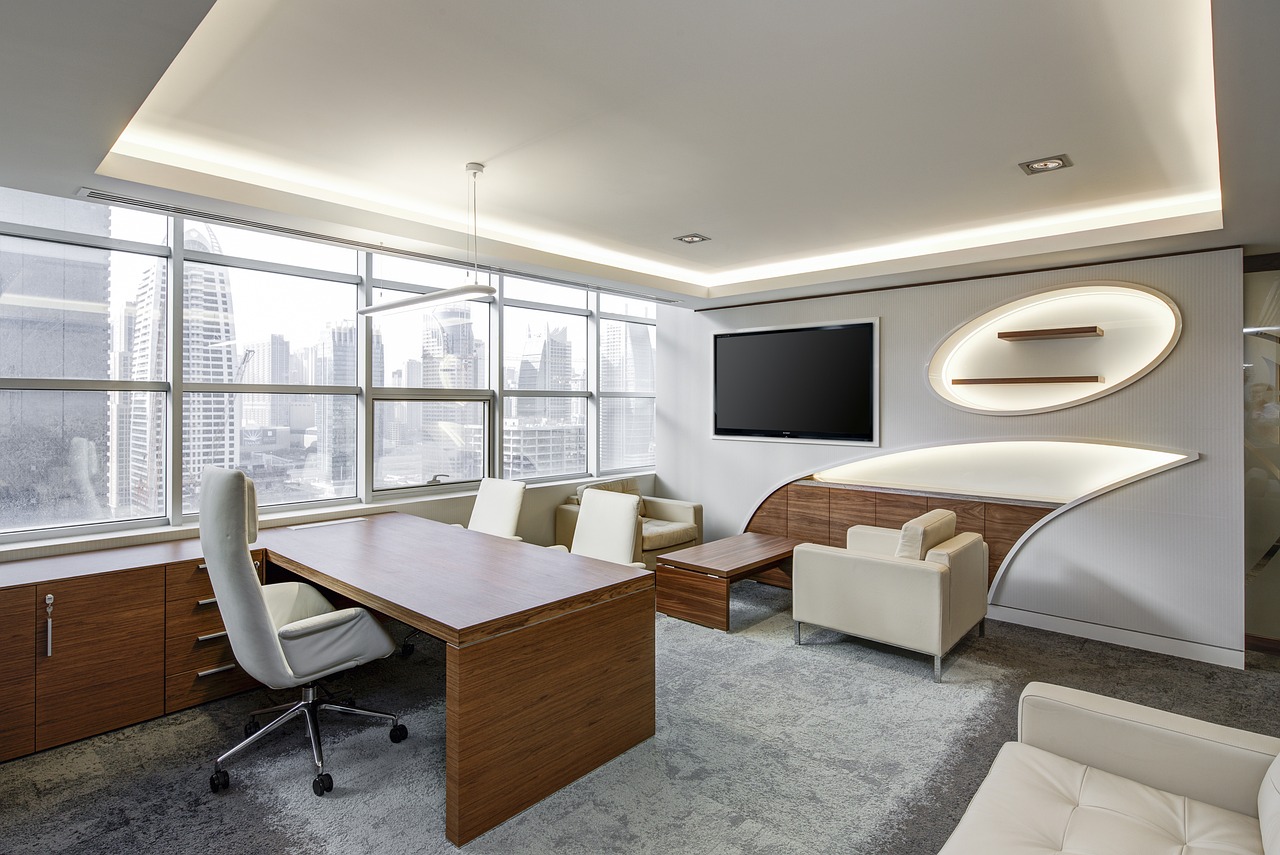

Ergonomic Office Design: Avoiding Common Posture Mistakes
Designing an ergonomic office is essential for promoting comfort and reducing strain during work hours. Many individuals experience discomfort due to improper posture while seated at their desks, impacting productivity and overall health. One common mistake in office design is the improper arrangement of office equipment. Ensure that your computer screen is at eye level to prevent neck strain. If your screen is too low or too high, you may lean forward or tilt your head, causing muscle tension. Additionally, consider the positioning of your keyboard and mouse. Both devices should be placed at a height that allows your elbows to remain at a 90-degree angle or slightly obtuse. Chair height is also important; when seated, your feet should rest flat on the floor, with thighs parallel to the ground. Investing in adjustable furniture and supportive seating will significantly enhance your workspace. Incorporate accessories like wrist supports and footrests to further optimize your setup. A well-designed ergonomic office can mean the difference between comfort and discomfort, significantly influencing your daily efficiency and overall well-being.
Understanding Key Ergonomic Principles
Understanding ergonomic principles is vital when creating a workspace that fosters health and productivity. Many people overlook the significance of ergonomics, thinking it merely involves aesthetics. However, true ergonomic design focuses on aligning your workspace with your body’s natural movements. Start by assessing the reachability of various tools and equipment within your workspace. Everything you frequently use should be within arm’s length to avoid straining yourself. The layout should promote free movement without slouching or twisting. Furthermore, lighting plays a crucial role in maintaining visual comfort and reducing eye strain. Position your desk away from glare and utilize good task lighting. Regular breaks are equally important; get up and stretch every hour to alleviate stiffness. Mindfulness of your posture while sitting at your desk is essential. Keep your back straight, shoulders relaxed, and arms close to your body. Encourage good habits by keeping your feet flat on the ground or resting them on a footstool if necessary. Simple adjustments in your office design can lead to significant improvements in comfort, reducing the risk of long-term injury and boosting overall productivity.
Choosing the right office furniture is another key element of ergonomic design. Your chair should provide adequate lumbar support to maintain the natural curve of your spine. Look for chairs that adjust in height, backrest angle, and armrest height. A well-fitting chair allows you to sit comfortably without straining your back. Consider office desks that accommodate both sitting and standing positions to promote movement throughout the day. A sit-stand desk lets you change your posture frequently, reducing fatigue and improving your focus. When you stand, ensure your weight is evenly distributed between both feet. Use a non-slip mat if you stand for long periods to reduce pressure on your legs and feet. Monitor arms are also worth considering, allowing you to elevate your screen to eye level or rearrange your setup based on your time spent standing or sitting. Investing in quality ergonomic furniture not only enhances comfort but also shows a commitment to your health in the workplace. Such investment pays off in improved concentration and productivity over time, resulting in a happier, healthier work environment.
Implementing Effective Posture Checks
Implementing regular posture checks can significantly impact your overall health when working in an office. Start by incorporating a daily routine of posture assessments. Check your sitting posture at different intervals during your workday. Visual cues, like sticky notes on your monitor, can remind you to assess your posture and make necessary corrections. When seated, ensure that your back is firmly against your chair with your shoulders back. Your elbows should be close to your body while typing, and your wrists should maintain a neutral position. Periodically check your feet too; they should rest flat on the ground, with no crossing at the ankles or knees. A great way to instill better sitting habits is to incorporate apps that prompt reminders for your posture checks or stretches. These small adjustments ensure your body doesn’t adopt poor positions for prolonged periods. In doing so, you can prevent minor aches that could escalate into chronic problems later. Regular checks foster awareness of how you position your body while working, promoting healthier habits that benefit you over time.
Utilizing technology effectively can also enhance the ergonomic aspects of your office. Consider investing in ergonomic apps and software designed for office workers. Many of these tools provide reminders to take breaks or guide you through stretch routines specifically aimed at counteracting the effects of prolonged sitting. Some applications even analyze your workstation setup, offering personalized recommendations for adjustments you can make. Beyond digital tools, you might choose ergonomic gadgets, such as specialized mouse or keyboard designs and standing desks. These hardware solutions can bring an instant improvement to your daily comfort; they help to maintain an optimal posture during working hours. Furthermore, utilizing voice-to-text software can reduce the stress associated with long typing sessions, therefore minimizing discomfort. The integration of technology into ergonomic design fosters a more enjoyable work experience, leading to greater efficiency. In conclusion, leveraging innovative tools, both digital and physical, will accommodate your needs, allowing you to create a space that promotes your well-being and productivity. Embracing a technologically advanced ergonomic environment can lead to significant long-term health benefits.
Creating a Supportive Office Environment
Creating a supportive office environment can enhance employee satisfaction and productivity. Physical comfort is only one aspect of an ergonomic workplace; the emotional and mental aspects also matter significantly. Encourage open communication between team members and management regarding workspace adjustments. Establishing a culture of feedback promotes ongoing improvements in the ergonomic design of shared spaces. Having proper layouts and furniture is essential, but don’t forget the importance of good air quality and lighting. Ensure that your workspace is well-ventilated, with natural light where possible. Natural light not only reduces eye strain but also boosts mood and energy levels. Consider setting up relaxation areas for employees to unwind during breaks; these can help alleviate stress and refresh focus. Additionally, engage in team-building activities focusing on wellness and healthy habits, reinforcing the importance of ergonomics. Workshops on proper posture and productive work techniques can build awareness regarding ergonomics in your office. A cohesive workplace contributes positively to both physical and mental health, leading to improved workforce ratios and retention as people appreciate the environment.
Alongside environmental considerations, emphasize the importance of individual responsibility for personal ergonomics. While the company can provide an efficient workspace, every employee should take ownership of their health. Encourage staff to bring their own ergonomic accessories that suit their preferences, like lumbar cushions or specific keyboard setups. Supply educational material about proper posture, seating choices, and desk arrangements. Offering workshops can equip employees with practical knowledge on maintaining healthy habits while working. Set a company-wide goal of encouraging small stretches or movements every hour; this makes a noticeable difference in reducing tightness and discomfort. Moreover, sharing success stories from coworkers who embrace ergonomic practices can inspire others to make changes. Consider implementing wellness challenges, continually focusing on ergonomics as a priority within the office culture to highlight its significance. As employees become more informed about ergonomic practices, they will also become more proactive in adjusting their workspace to fit their needs. Elevating this awareness leads to a long-term transformation in attitude towards workplace ergonomics, forging a healthier work environment for everyone.
Reflecting on ergonomic office design underscores its necessity for a better working experience. Proper implementation of ergonomic principles can lead to reduced discomfort and injury, which are prevalent in many professional environments. Employees who feel comfortable are likely to display increased productivity, creativity, and engagement. When designing your office, consider its ability to adapt to various personal needs and preferences while maintaining a focus on optimal health available. Resources such as ergonomics checklists may aid in evaluating existing setups for modifications and improvements while also raising awareness. Prioritize regular assessments of the workspace layout and design to ensure it reflects the requirements of all employees. Establishing an ergonomic-focused culture involves ongoing learning and adjustment as technologies and best practices evolve. Ultimately, adapting workspaces for better posture leads to sustainable benefits that go beyond physical comfort. By fostering an environment centered on ergonomics, you create a place where employees feel valued and invested in their well-being. In conclusion, ergonomic office design is an investment in the future of an organization, demonstrating commitment to the health of its workforce.