
Monitor Placement: Key to Reducing Neck Strain
Proper monitor placement is essential for minimizing neck strain during work. Many people overlook the significance of how their screens are positioned, which can lead to discomfort over time. It is crucial that your monitor is at eye level, allowing you to keep your neck in a neutral position. If your monitor is too high or low, you might instinctively tilt your head, straining neck muscles. Experts recommend positioning the top of the screen at or just below eye level. If your monitor isn’t adjustable, consider using a stand or a stack of sturdy books to achieve the right height. Make sure to sit at least an arm’s length away from your screen to further reduce strain. Your eyes should naturally fall on the center of the screen without tilting your head. Furthermore, using a monitor with a matte finish helps reduce glare, which can cause you to lean forward or twist your neck to see better. Ultimately, investing effort into proper monitor positioning can lead to significant long-term relief from neck problems.
In addition to screen height, the distance between your monitor and yourself plays an equally important role in your overall comfort while working. A distance of around 20 to 30 inches is optimal for most people, reducing eye fatigue and allowing for a comfortable working posture. It’s advisable to adjust your chair to a height that provides this distance while ensuring your feet can rest flat on the ground or on a footrest for optimal support. Remember that if you wear glasses, especially those for computer use, ensure they are prescribed specifically for your working distance. Raising your monitor to the proper height can also be influenced by the type of work you engage in. For example, graphic designers may need a slightly different setup due to the nature of their tasks. Lastly, consider the angle at which you view the screen. A slight tilt backward—between 10 to 20 degrees—can help maintain a more relaxed posture and reduce strain on your neck and shoulders, promoting a more comfortable working environment.
Using Dual Monitors Effectively
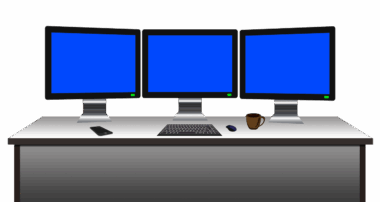
If you utilize dual monitors in your workspace, their placement can significantly affect your posture and overall comfort level. Firstly, ensure that both monitors are at the same height to avoid neck strain caused by looking up and down frequently. They should be positioned side by side, ideally with the inside edges of the screens almost touching. By doing this, you create a seamless working environment that allows your eyes to transition easily from one display to the next. The key is to position the primary monitor—the one you use most frequently—directly in front of you, so your neck remains in a neutral position. The secondary monitor can be slightly offset but should still remain in line with your gaze as much as possible. This arrangement can significantly enhance productivity, but if you repeatedly find yourself twisting your neck, consider reassessing the angles and levels of both screens. Properly aligning dual monitors can tremendously improve your work experience while preventing strain and discomfort.
Lighting is another crucial aspect that can affect how you position your monitors. Bright lighting or glare from windows can cause discomfort, urging you to adjust your head and neck to see the screen better. To mitigate this, place your monitor away from direct light sources and consider utilizing curtains or blinds to manage sunlight. Additionally, desk lamps with adjustable brightness can help illuminate your workspace without contributing to glare. Remember the importance of contrast and brightness settings on your monitor; optimizing these can lessen the need for awkward angles. An anti-glare screen protector can further enhance viewing comfort. When setting up your workstation, it’s essential to factor in these elements, as a poorly lit environment can lead to muscle fatigue and eye strain. Assess your surroundings—do you need to adjust your seating position? The goal is to create an ergonomic and balanced workspace that promotes healthy posture, ultimately preventing potential musculoskeletal issues that arise from poor alignment.
Keyboard and Mouse Placement
Alongside monitor height, consider the placement of your keyboard and mouse to ensure a holistic ergonomic setup. Your keyboard should be positioned a few inches from the edge of your desk, allowing your elbows to remain at or slightly above the level of your wrists. This helps to promote a natural wrist angle while typing, reducing tension in your forearms and shoulders. Ensure that your mouse sits close to your keyboard to avoid excessive reaching, which can lead to shoulder strain. Opt for a mouse that fits comfortably in your hand and requires minimal finger extension. You may also consider a mouse pad with wrist support to enhance comfort during prolonged use. Additionally, taking short breaks and performing gentle wrist stretches can help mitigate strain. It’s worthwhile examining whether your desk height is appropriate, as maintaining an optimal arm position while typing is crucial. Moreover, incorporating a keyboard tray allows for further adjustments, ensuring that all inputs are aligned properly and contributing to a more neutral posture while you work.
Adjustability and comfort are pivotal for any ergonomic setup. Ensure that your chair supports your back while allowing your feet to remain flat on the floor. An adjustable chair can help you find the height that works for you, which can also influence how you position your monitor. Don’t forget about the armrests; they should be set at a height that maintains your shoulders relaxed. If armrests are too high, it may result in hunching, while those that are too low can contribute to shoulder strain. Look for a chair that provides lumbar support, as this will help you maintain a natural spinal curve throughout the day. Furthermore, consider changing your sitting position frequently—shift from sitting cross-legged to flat-footed over time. Additionally, explore options like standing desks, which allow for a change of posture and can be adjusted to suit your own unique preferences. The point is to ensure that your workstation adapts to your needs rather than forcing your body into an unnatural position, which can eventually lead to discomfort.
Conclusion: Prioritizing Ergonomics
Ultimately, prioritizing ergonomics within your workstation should be seen as an investment in your health. A properly set up workstation has the power to reduce neck strain significantly and enhances overall productivity throughout the workday. Remember that individual preferences may vary; it’s essential to customize your space to suit your unique needs and activities. Take the time to explore adjustments to your monitor, chair, keyboard, and mouse placement until you find the perfect balance. You should also stay mindful of your posture during long periods at your desk; gentle stretches throughout the day can mitigate some of the physical toll that comes with prolonged sitting. Incorporating ergonomic principles into your daily routine not only leads to a healthier work environment but also increases satisfaction in your work. Your body will thank you for it in the long run. The right setup can ease discomfort, improve focus, and enable a more enjoyable work experience—one free from the constraints of neck and back pain that can detract from your productivity.
With the right adjustments, you can ensure that your workspace promotes a comfortable posture conducive to productivity. Investing time and effort into arranging your workstation setup will pay off in the form of reduced physical ailments and improved overall well-being. As you learn more about the importance of correct monitor placement and alignment, you can adjust your workspace accordingly, fostering both comfort and efficiency. You can also consider greater aspects of your work routine, such as taking regular breaks and engaging in physical activity outside. Both working on ergonomics and finding ways to incorporate wellness into your workflow are important aspects of maintaining a healthy lifestyle. Pay close attention to any discomfort you might experience; this often serves as a valuable indicator that adjustments are needed. Addressing these issues proactively allows you to cultivate a healthier connection with your work environment and assist in eliminating postural strain. Continued awareness of ergonomics and ensuing adjustments can lead to a happier and healthier work life that you deserve.